

Your reps aren't ignoring the CRM because they're lazy. They're ignoring it because every update feels like unpaid data janitor work.
The short answer: CRM adoption fails when the system extracts value from reps without returning any. Every call ends with a second, unpaid job: translating what happened into structured fields built for managers, not sellers. The fix isn't more training or mandatory fields. It's removing the manual step entirely. When activity capture is automated, adoption stops being a problem worth measuring.
The Real Reason CRM Adoption Breaks
Most sales leaders treat CRM adoption as a discipline problem. They add mandatory fields, run compliance reports, and send the weekly "please update your opps" Slack message. Then they do it again the following week.
The problem lives in the job you're asking reps to do.
Every time a rep finishes a call, they face a second, unpaid job: translate everything they just heard into a set of structured CRM fields. The budget signal, the competitor mention, the timeline shift, the new stakeholder. Fields built for managers and analysts, not for the person who just spent 45 minutes building trust with a prospect.
According to Salesforce's State of Sales report, sales reps spend just 28% of their time actually selling. The other 72% goes to admin work, internal meetings, and manual data entry. CRM logging returns nothing to the rep who does it.
When value flows one direction, adoption fails. That's a workflow design problem.
The Hidden Cost: Reps as Human ETL
ETL stands for Extract, Transform, Load: the process a data engineer runs to move raw information from one system into a structured one. Your sales team is doing that job after every call, email, and meeting. They're the middleware.

A sales rep acting as human data pipeline, manually transferring information from calls and emails into a CRM database.
The cost shows up in a few ways most sales leaders recognize immediately:
- Stale pipeline data. Opportunities sit untouched for weeks, not because nothing is happening, but because the rep hasn't had time to log it yet.
- "Black hole" forecasting. A CRO at a mid-market SaaS company put it plainly: "I'll go into a 1-on-1 and see opportunities untouched for three weeks. The AE says, 'I've had three calls with them, I just haven't updated the notes yet.' It makes forecasting a nightmare."
- RevOps carrying the cleanup. One Head of RevOps at a compliance software company spends roughly 20% of her week cleaning up CRM data so pipeline reports aren't wrong. One full day, every week, on work that shouldn't exist.
- Custom field abandonment. Teams invest months building discovery frameworks in custom Salesforce fields. Reps ignore them. As one Head of RevOps put it: "The adoption is low because the AEs feel like they're doing data entry instead of selling."
Multiply that across a 20-, 50-, or 200-person sales team and you're looking at a systemic tax on revenue capacity.
The Adoption Failure Loop
Low CRM adoption creates a self-reinforcing cycle that tightens with every enforcement attempt:
1. Reps don't update because manual entry takes time and returns no immediate value to them.
2. Data goes stale and pipeline hygiene breaks down.
3. Managers lose visibility and compensate with more check-ins, more Slack messages, more mandatory fields.
4. Reps feel more admin burden, not less, and adoption drops further.
5. RevOps spends more time cleaning data rather than building better processes.
2. Data goes stale and pipeline hygiene breaks down.
3. Managers lose visibility and compensate with more check-ins, more Slack messages, more mandatory fields.
4. Reps feel more admin burden, not less, and adoption drops further.
5. RevOps spends more time cleaning data rather than building better processes.

Tightening enforcement accelerates the loop. Removing the manual step breaks it.
What Breaks the Loop: Structured Insight Without Rep Effort
The shift happens when unstructured activity (a call, an email thread, a calendar invite) becomes structured CRM data automatically, without the rep doing the translation.
Here's what that looks like in practice with GTM Engine:
- A prospect mentions a competitor on a call. The Competitor field updates automatically.
- A new stakeholder joins the video invite. A contact record is created and linked to the right account without anyone logging it.
- The buyer says "we're targeting Q3 for go-live." The Close Date adjusts based on that signal.
- A rep finishes a discovery call. Next steps, risk flags, and MEDDIC/MEDPICC progress are populated before they open their laptop again.
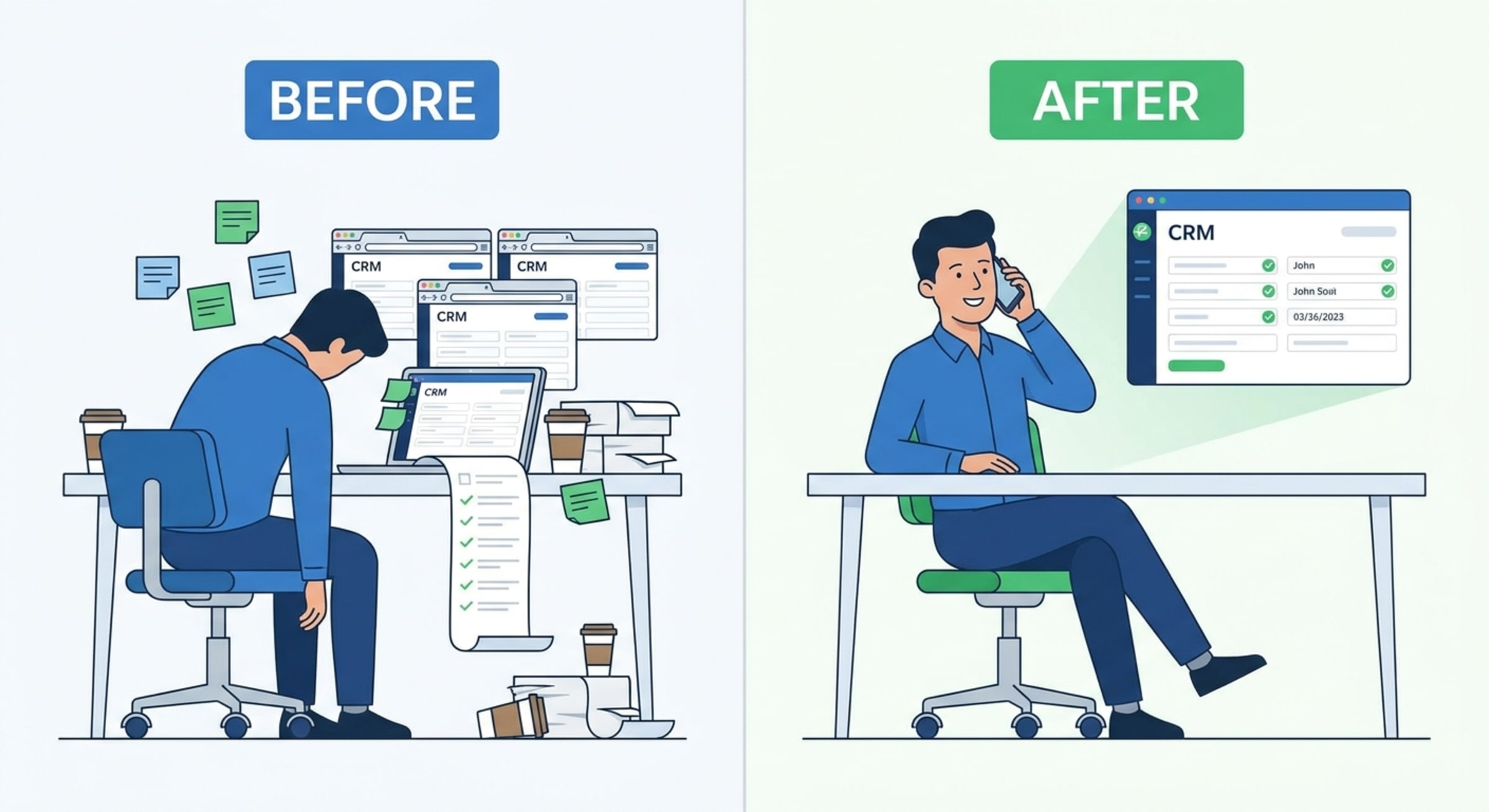
Before and after: on the left, a rep buried in manual CRM entry; on the right, the same rep on a call while CRM fields auto-populate beside them.
The rep reviews data rather than entering it, with a single click to approve what the system already captured. As one sales leader put it: "If this can actually save me from the weekly 'please update your opps' Slack messages, I'm all in."
How GTM Engine differs from point solutions:
- Tools like Gong capture calls. Salesforce automation handles workflow triggers.
- GTM Engine bridges both: it reads the conversation across email, calendar, and call recordings, extracts structured signals, and writes them directly to your CRM fields, including custom fields your team already built. The rep doesn't touch the record. RevOps doesn't clean it up.
The Activity-Accuracy Problem: A Closer Look
One pattern that comes up repeatedly in conversations with enterprise sales leaders is the activity accuracy gap: the data a tool reports doesn't match what reps say they actually did.
An Enterprise Sales Leader at a life sciences software company described it directly: "I walk into my one-on-one. I ask the rep what they did last week. I bring up my leading indicators on meetings, and it's always 'that's wrong, that's wrong.'"
When the system can't accurately reflect what reps are doing, managers can't coach from it. Pipeline reviews become debates about what happened instead of what to do next.
Capturing activity from the source closes that gap. The record is built from what actually happened, not what a rep remembered to log.
Is Your CRM Problem an Adoption Problem or an Automation Problem?
Before adding another mandatory field or scheduling another training session, run through this diagnostic. Score one point for each item that applies to your team.
Signs you have an adoption problem (culture or change management):
- Reps understand the value of updating the CRM but choose not to
- Field definitions are unclear or inconsistently used across the team
- There's no manager inspection cadence tied to CRM hygiene
Signs you have an automation problem (workflow design):
- Reps agree the CRM is important but say updates take too long
- Activity data is consistently behind, with deals showing "no contact" for weeks despite active selling
- RevOps spends meaningful time each week cleaning records that should have been logged at the source
- Custom fields get built, rolled out, and quietly abandoned within a quarter
- Weekly pipeline reviews start with debates about what actually happened, not what to do next
Scoring:
- 3+ points from the adoption list only: Focus on change management. Inspect more, train differently, and tie CRM hygiene to rep performance reviews.
- 3+ points from the automation list: You have a process problem, not a people problem. The workflow is designed wrong, and enforcement will make it worse.
- Points from both lists: Start with automation. Fixing the friction reduces the behavior you're trying to manage out of reps. Adoption follows when the CRM starts returning value.
Most teams with 20+ reps land in the third bucket. The adoption problem is real, but it's downstream of the automation problem.
What to Do Next
The clearest path to better CRM adoption is removing the manual step that makes adoption feel pointless.
When reps walk away from a call and the CRM already reflects what happened, adoption becomes irrelevant as a metric. The data is just there.
But before you can fix the workflow, you need to know what you're actually dealing with. Most teams are surprised by what a CRM audit turns up: duplicate records inflating pipeline, empty fields making scoring unreliable, stale opportunities that should have been closed months ago, orphaned contacts with no account, and fill rates far lower than anyone assumed.
Run a free CRM Hygiene Assessment to get a clear picture of your CRM's current state. It takes minutes to connect and gives you an objective baseline, whether you're making the case for automation internally or just trying to understand where the gaps are.
Treating reps as the revenue-generating asset they are starts with stopping the practice of treating them as data-entry middleware.
About the Author

Robert Moseley IV is the Founder and CEO of GTM Engine, a pipeline execution platform that’s changing the way modern revenue teams work. With a background in sales leadership, product strategy, and data architecture, he’s spent more than 10 years helping fast-growing companies move away from manual processes and adopt smarter, scalable systems. At GTM Engine, Robert is building what he calls the go-to-market nervous system. It tracks every interaction, uses AI to enrich CRM data, and gives teams the real-time visibility they need to stay on track. His true north is simple. To take the guesswork out of sales and help revenue teams make decisions based on facts, not gut feel.


