
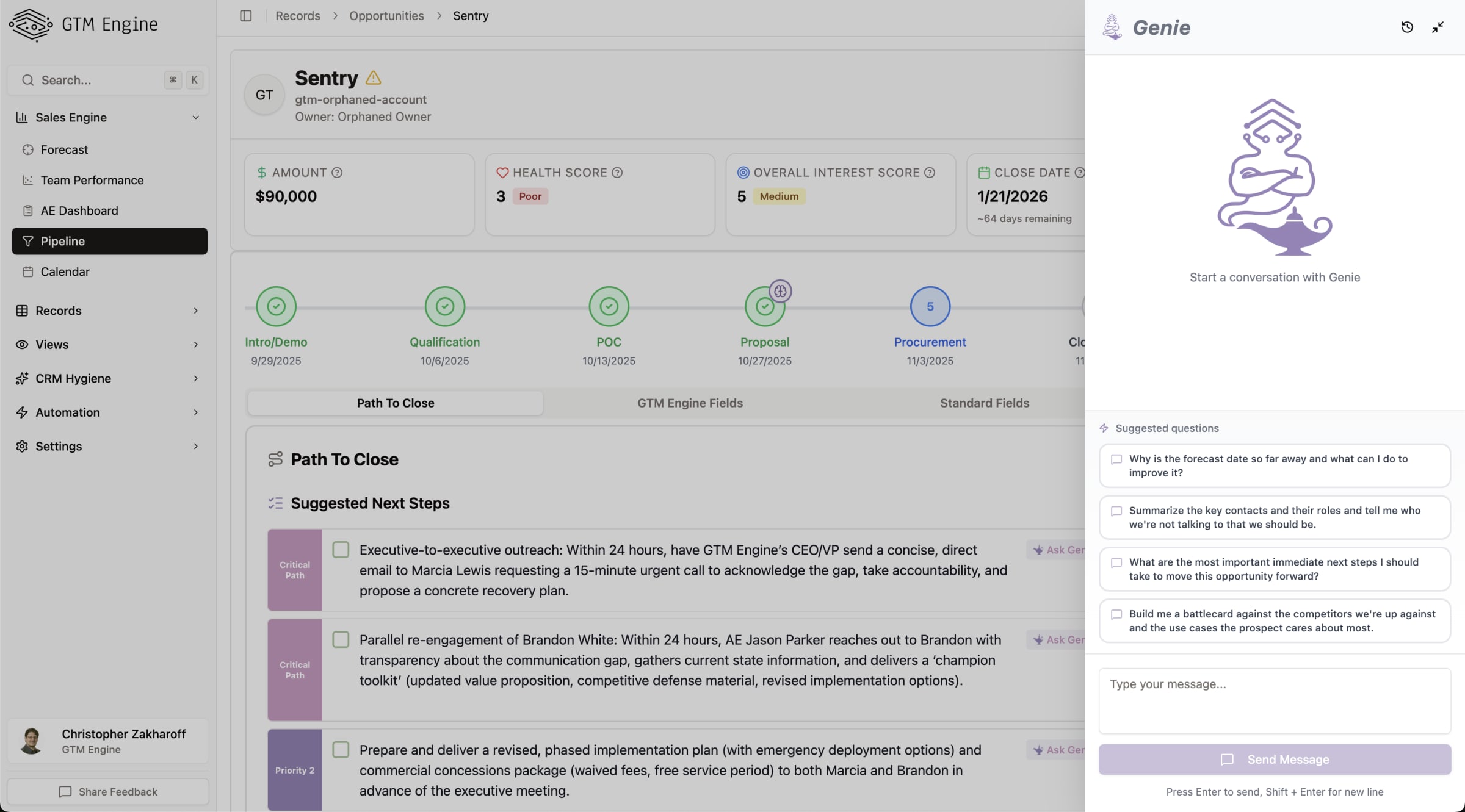
Feature Overview
GTM Engine Genie is an AI-powered assistant embedded directly within your opportunity view. This intelligent chat interface provides contextual support for your sales activities by leveraging all available opportunity data, contact information, and communication history. Genie can perform a wide range of tasks from research to content creation, all designed to help you sell more effectively while reducing administrative burden.
Benefits to the User
- Save time by automating research, email drafting, and other time-consuming tasks
- Access comprehensive context about your opportunity without switching between systems
- Generate actionable insights using all available opportunity data
- Customize workflows to support your specific sales processes
- Reduce administrative burden by automating follow-ups and documentation
- Prepare more effectively for meetings with quick summaries and talking points
- Identify deal risks and receive suggested action plans
Accessing the Feature
- Navigate to any opportunity record in GTM Engine
- Look for the "Genie" chat interface in the opportunity view
- Click on the Genie icon to open the assistant
Note: Genie appears directly in the opportunity view for easy access
Step-by-Step Usage Guide
Basic Interaction
- Click on the Genie icon in any opportunity view
- Type your question or request in the chat input field
- Press Enter to submit your query
- Review Genie's response, which will appear in the chat window
Using Standard Capabilities
Genie comes with several built-in capabilities:
Research and Information Gathering
Example: "Is there any recent news about [company name] that I could use in a follow-up?"
Email Composition
- Ask Genie to draft an email
Example: "Help me draft a follow-up email based on our last conversation"
- Review the drafted email
- If satisfied, click "Fire off this email" to send directly from Genie
Meeting Preparation
Example: "Summarize the key points from our last meeting with this prospect"
Content Transformation
Example: "Generate a call script based on this opportunity data"
Example: "Write this in my vocal style"
Advanced Features
Using Specialized Tools
Genie integrates with custom workflows built in the GTM Engine automation platform:
- Click the "Add tools" option in the chat interface
- Select from available tools like:
- Document review
- Handoff document generation
- Web research
- LinkedIn URL fetching
- Use the tool by asking Genie to perform the related task
Example: "Generate a handoff document for this opportunity"
Viewing Genie's Reasoning
- Look for the "Thinking" option in Genie's response
- Click to expand and see the internal reasoning process Genie used to generate its response
Quick Access Button
Look for the "Ask Genie" button in the opportunity view for one-click access to common tasks.
Tips and Best Practices
Getting the Most from Genie
- Be specific in your requests to get the most relevant responses
- Explore capabilities by asking "What can you help with?" to see a list of use cases
- Combine tools for complex tasks (e.g., research + email drafting)
- Review reasoning when you want to understand how Genie arrived at its conclusions
Common Use Cases
- Opportunity intelligence gathering
- Relationship and contact insights
- Quick analysis for upcoming meetings
- Preparing relevant follow-ups
- Analyzing deal risks and creating action plans
- Finding additional stakeholders
- Creating handoff documentation
Working with Your RevOps Team
Your RevOps team can customize Genie's toolkit to match your specific business needs. If you have recurring tasks that would benefit from automation, discuss with your RevOps team about creating custom workflows that can be integrated into Genie.
Note: Genie continuously learns and improves based on your interactions. The more you use it, the better it becomes at understanding your specific needs and communication style.
